Understand What a GPU Actually Does
Choosing the right GPU starts with knowing what it really does and how it differs from your CPU. Many gamers mistakenly lump the two together, but in reality, they play very different roles. Here’s how to break it down:
GPU vs. CPU: Who Does What?
CPU (Central Processing Unit): Acts as the brain of your system, handling logic, instructions, and game physics.
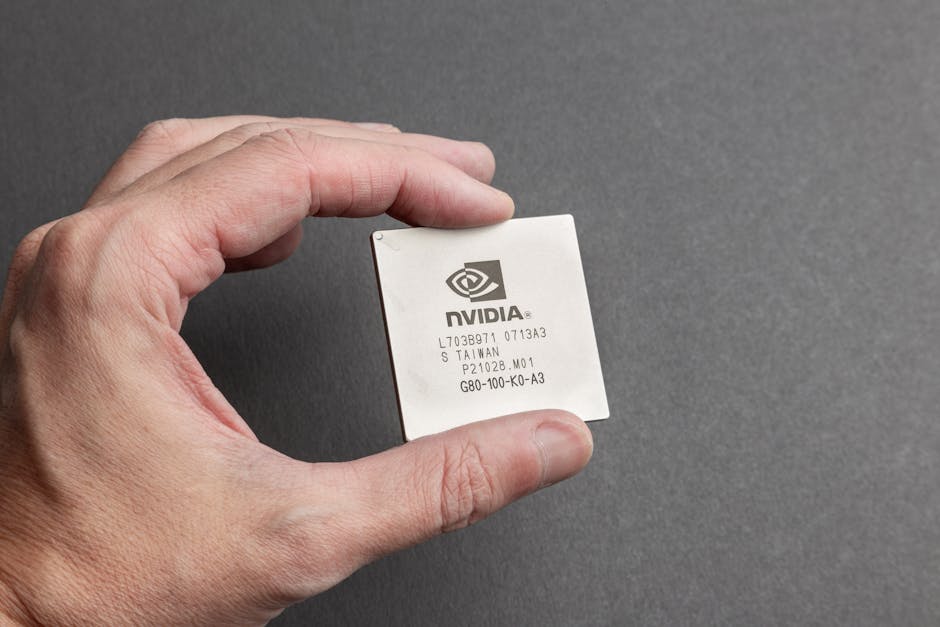
GPU (Graphics Processing Unit): Manages visuals, rendering, and parallel processing the heavy lifting for anything you see on screen.
While both work together during gaming, the GPU is the one responsible for transforming data into smooth, playable visuals.
It’s Not Just About Pretty Graphics
A modern graphics card doesn’t only affect image quality it shapes your entire gaming experience:
Frame Rates: A better GPU means smoother, more consistent gameplay.
Resolution Support: More powerful GPUs can handle 1440p or 4K resolution without tanking performance.
Texture and Shader Effects: From shadows to lighting to reflections, your GPU determines how detailed your worlds look and how real they feel.
The GPU Controls the Most Visual Elements in Gaming
Here’s what your GPU directly impacts:
Frame timing and refresh sync
Realistic rendering of environments and characters
Advanced post processing effects (like motion blur or depth of field)
Load times for visual assets, especially in open world games
If you game at high resolutions or use multiple monitors, your GPU matters even more. It’s the piece of hardware that decides whether your favorite title is a cinematic masterpiece or a stuttery mess.
Know the Key Specs (Without the Fluff)
Let’s cut straight to it GPU specs can sound like alphabet soup, but only a few really matter for most gamers.
VRAM: How Much Is Enough?
For 1080p, most modern games run smoothly on 6GB of VRAM. You could squeeze by with 4GB, but newer titles will push it. At 1440p, aim for 8GB. It’s the new sweet spot. Serious about 4K? You’re looking at 10 12GB minimum, especially if you want high textures and less stutter. Overkill can feel good, but it’s rarely needed unless you’re modding every inch of Skyrim or chasing ultra settings.
Clock Speed and Cores: What to Pay Attention To
Clock speed (measured in MHz) affects how fast your GPU processes data it matters, but only in context. Two cards with similar architecture but different clock speeds? The faster one wins, sure. But architecture and core count (CUDA cores for NVIDIA, Stream Processors for AMD) matter more when comparing across generations or brands.
In short, don’t obsess over 50 MHz differences. Focus on overall performance benchmarks instead.
Model Numbers Decoded
Yep, they look like license plates. But here’s the key:
NVIDIA: The first number is the generation (e.g., RTX 3060 = 30 Series), the next two usually mark performance tier (60 is midrange, 80+ is high end). “Ti” means a performance boost.
AMD: Radeon RX 6750 XT? 6 = generation, 750 = tier/performance, XT = bumped up version.
More numbers = newer or stronger, usually but check real world tests before trusting a digit.
Bottom line: Learn the basics, skip the hype, and let benchmarks do the talking.
Match Your GPU to Your Gaming Needs
Not every game punishes your graphics card the same way. Fast paced, competitive shooters like Apex Legends or Call of Duty need high frame rates and quick response, but they’re often more CPU bound than people think. On the other hand, open world RPGs like Cyberpunk 2077 or Starfield will ask everything from your GPU resolution, lighting effects, detailed textures, all at once. Sim racing titles like ACC or iRacing live somewhere in the middle, needing both visual fidelity and high, consistent frame rates.
All of that means your best GPU choice depends on what you play most. For shooters, you want low latency and high FPS look for cards that handle 1080p or 1440p at frame rates north of 144Hz. For open world or story driven games, focus more on raw graphical horsepower and VRAM, especially for 4K. Sim racers benefit from a well rounded GPU that does stable frame pacing and smooth multi monitor output.
To stay ahead of the curve, think long term. More games are demanding ray tracing, higher resolutions, and AI powered upscaling. That doesn’t mean you have to buy top tier, but don’t go too mid range if you want headroom for the next few years. Prioritize performance at your target resolution today but make sure your card won’t choke on tomorrow’s titles.
Beware the Bottlenecks

You can drop serious cash on a high end GPU and still get mediocre performance if the rest of your system isn’t up to speed. Your graphics card doesn’t work in a vacuum it relies on your CPU, RAM, power supply, case airflow, and motherboard to pull its weight. One weak link? That shiny new GPU suddenly isn’t so impressive.
Start with CPU and RAM pairing. A GPU can only render frames as fast as the CPU can feed them. Pairing a top tier GPU with an underpowered or older CPU creates a bottleneck especially in CPU heavy titles like open world or strategy games. Same goes for RAM. If you’re still running 8GB at basic speeds, don’t expect miracles. At least 16GB of fast RAM is the new baseline.
Then there’s the stuff nobody talks about until it’s a problem. Power supply wattage actually matters especially with modern cards that spike power draw. Undershoot here, and you’ll get crashes or throttling. Thermal management? A case with poor airflow can cook your components and tank performance. And yes, size matters. Some GPUs are monsters. Make sure they actually fit in your case before you unbox them.
Bottom line: your GPU can’t save a system that’s holding it back. Get the whole setup tuned, or you’re just wasting potential.
Value vs. Hype: Finding the Sweet Spot
Here’s the hard truth: most gamers don’t need a flagship GPU. Spending top dollar on power you won’t touch is just wasted potential and cash. If you’re not running a triple monitor 4K setup or maxing out every slider on ultra demanding titles, mid tier cards will get the job done just fine.
The trick is knowing when it’s smart to buy and when to hold back. Next gen GPUs might offer more polish or better energy efficiency, but the performance jump isn’t always massive. If your current setup struggles and card prices are fair, waiting another six months probably isn’t worth the frame drops now.
And don’t overlook older cards. A well priced RTX 3060 or RX 6700 XT can still crush 1080p and 1440p gaming if paired with the right CPU and enough RAM. Matching hardware properly is more valuable than flexing the latest release. The name of the game is balance, not bragging rights.
Expert Tricks to Squeeze More out of Your GPU
You don’t always need to buy a new graphics card to get better performance. A few smart tweaks can push your current setup further without breaking it or your wallet.
Start with overclocking. Most GPUs have some headroom, and tools like MSI Afterburner or AMD’s Adrenalin Software make the process straightforward. Bump up the clock speeds gradually, and monitor temperatures. Stick with modest gains unless you’re comfortable tinkering and always prioritize stability over raw numbers.
Next up: drivers. Keeping your GPU drivers updated isn’t exciting, but it’s essential. Manufacturers push performance boosts and compatibility fixes all the time. Outdated drivers can throttle framerate or cause crashes, especially with newer games. Also, dig into your driver control panel. Small settings like enabling hardware accelerated GPU scheduling or adjusting power modes can make a difference.
Then there’s in game settings. Turning off CPU heavy extras like motion blur or shadow depth gives you smoother performance without hurting visuals too much. Pair that with refresh rate matching and you’re tapping into noticeable gains.
If you want to sharpen your edge even more, check out Pro level graphics card tips to boost performance.
Final Checklist: Your Best GPU, Without Regrets
Before you buy anything, zoom out. A top tier graphics card doesn’t mean much if it doesn’t fit your setup or your goals. Make sure your budget lines up with your needs. No point in dropping $1,200 if all you’re playing is Minecraft or League at 1080p. Likewise, don’t go cheap if you’re running 4K or plan to dive into ray traced games with high refresh rates.
Check your monitor’s resolution and refresh cap. Make sure the GPU you’re eyeing can consistently push the frames you want without bottlenecking. Also, think space some of today’s more powerful cards are massive. Measure your case. Double check your power supply, airflow, and thermal limits.
Use smart tools like GPU benchmark comparators and wattage calculators before you pull the trigger. And don’t get lost in ads or Reddit hype. Cut through the noise with trusted sources like this no BS breakdown: graphics card tips. A little planning now saves cash, time, and a lot of second guessing later.